
This one tip will help content creators get their external content seen.
Postbag.
Espresso+: Comment “X” and I will DM you – is that a good idea?
Judi Hays voice note … about voice notes
- Getting content seen: one approach that works for me
- How to reduce your LinkedIn notifications
- Company page invitations reduced from 250 to 50
- Removing date/time stamps
- Some news about the UpLift Live 26 conference
Full transcript.
How do you get your content seen on LinkedIn? It’s a big topic, but here’s one tip that will help you. This is episode 481 of the Informed podcast.
Hi, everyone. I’m John Espirian, your host of the Informed podcast all about LinkedIn best practice. And as usual, we’re going to kick off the show with this week’s Postbag.
This past week there was some debate in the Espresso+ community about the method of asking people to comment in order to get a resource. You might see this in your LinkedIn feed. Sometimes, people are trying to promote an ebook or a course or something else, and rather than just giving you the information upfront, they try to increase their engagement by asking you to leave a specific comment so that they follow up and DM you. Is that a good idea, was the basis of that question.
I don’t really think this is. I think LinkedIn’s algorithm is getting a bit smarter now so that it’ll cut down on things that obviously look like engagement bait. And also, I think the optics of this aren’t good. I’ve talked about optics before. Most of your audience are going to be people who don’t interact with you, but if you build up a good enough impression, then when the time is right for them to make a buying decision, that’s when they will reveal themselves and maybe hire you or refer you to someone else. And if you do things that don’t give a good look, so just asking for engagement rather than just giving people the valuable resource up front, I think you’re missing out.
So, I don’t recommend this, and wherever possible, if you can serve people at the point of contact, you know, at the point where they’re actually reading your content in the LinkedIn feed, you should always do that. And also a little addendum to that, which is that sometimes, you know, they’ll say, I’ll DM you with the information, and then they don’t actually give you the information once you’ve left the comment. So, that smacks even more of engagement bait, and of course you can’t tell who’s going to do that and who isn’t beforehand.
But nevertheless, I think this is a bad practice to get into. So, serve people, be helpful where you can as soon as you can.
Our other item for this week’s Postbag comes via Judi Hays, who is an independent LinkedIn strategist and also a member of my Espresso+ community. She sent me a voice note about what we talked about last week with voice notes. So, let’s hear from Judi now.
Hey John, I’m enjoying your podcast and I wanted to give you some feedback on the topic from last week, which was audio messages. Funny thing happened. I sent somebody an audio welcome message and he sent me this note back. It says, Judi, thanks for the audio message. Did you personally record that or do you have some software that does this with AI or some sort of automation so you can do it at scale? Curious, because I run a LinkedIn outreach marketing firm. Wow. It cracked me up because no, I recorded it and I responded to him that I did do that.
But you know, what has the world come to where everyone assumes everything is automation or AI? It’s a pretty funny thing. But anyway, I’ll share the comment with you and thank you again.
John, on the topic of the audio messages, one thing that somebody suggested that they thought was actually a pretty good idea is that once you record the message, if you just give it a one sentence as to what you’re talking about, it may increase people’s hesitancy to listen to it. So, I just did that in your inbox to give you an example.
So, thanks to Judi for sending that one through. Actually, it was two messages that I’ve stuck together there. And it’s interesting that some people might think that voice noting on LinkedIn could be AI. I mean, AI tools are improving to the point where you probably can clone your voice pretty well, but I think it’s still possible to tell the difference between something that is an AI-generated voice and a real person’s tone of voice with laughter and stutters and all of that stuff as well.
You can’t, I mean, there is a way I’ve seen before where you can actually record a voice note through desktop if you use some clever software and send it. But generally speaking, if you see a blue bar from someone in a LinkedIn voice note, it’s going to have been sent via the LinkedIn mobile app, and it will have been recorded just that one time and it will be just for you, not something that’s been reused elsewhere. So, right now they are a pretty authentic way of keeping touch with people.
As has been said before, you know, one of the real missing features is a lack of transcription for those voice notes. So, I do like what Judi added at the end there, which is if you add just a little bit of text to provide a bit of context about what the voice note is about, that’s good for future reference and to prep the other person. So, often when I do send a voice note and I’ve been sending actually loads this past week, I will often just preface it by saying, you know, voice note incoming about so and so. They’re a really powerful way of getting people to engage. I know some people don’t like them at all, as we’ve talked about before, but I’ve had great response rates this past week. So, if you’d like to see what a voice note actually looks and feels like, feel free to drop me a line and I’m happy to send you one.
But yeah, interesting feedback. Thanks for chipping in there, Judi.
So, how do you get your content seen on LinkedIn? It’s a longstanding question. I wish there was a magic bullet for this so that all of our ideal audience could always see everything that we put out there.
There are various approaches for this, but something I have posted about as an example in the past week has been instead of pointing people towards an external resource, in my case it was a blog post that I’d written, I know from the stats that I’ve gathered over several years that keeping people on LinkedIn and serving them content via a document post, which in my case is a PDF upload, that kind of content performs very well for me relative to everything else that I put out.
So, what I decided to do is instead of writing a post that’s saying, look, I’ve got a new blog post, go and read it, you might find it interesting, I took that blog post and I converted it to a PDF. So, I’ve done that, my workflow is to use something called Apple Pages, which is Apple’s free word processor alternative to Microsoft Word. It lets you format the content quite nicely and then you can just save the file as a PDF. But really any word processor that would let you copy in text and images and then save as PDF would do the job.
So, I’ve got all of the content that was on my blog, which I’d like people to read, turned it into a PDF and then uploaded that direct to LinkedIn. And that has played pretty well on LinkedIn. It certainly got more views than it would have got if I were just doing a simple post and pointing towards my blog.
So, if you do have any kind of external content, just consider copying and pasting it into a word processor, saving it as a PDF, and then sharing that on LinkedIn as a way of keeping people on the platform which LinkedIn likes, and the user experience is pretty nice. The end result tends to look pretty good, and you probably will get better engagement that method. So, you might want to give that a try.
While I’m looking at the document post that I actually shared here, I can tell you what the what the thrust of that message was. It was about reducing your notifications on LinkedIn.
Now, this isn’t going to apply to absolutely everyone, but if you are a heavy user of LinkedIn and you’ve got very busy notifications, you might find that a proportion of those notifications are taken up by people who like your content but don’t engage in any other way. They don’t really repost stuff, they don’t comment on things, they’ll just mostly just watch and occasionally just give you a like.
And every time you receive one of those notifications, there’s not a lot you can do with it. It’s nice to know that people are liking your content certainly, but there’s nothing really to respond to. It’s just saying someone clicked the like button. And so the document post that I shared shares the method of how to just get rid of those notifications.
So, in your Notifications tab of LinkedIn, when you receive one of those notifications, you can click the 3-dot menu … and change your notifications preferences and just turn off notifications about a particular person who is interacting with your stuff. You wouldn’t do this if that person is ever likely to leave a comment, but if you’ve got a serial liker in your network, then you could certainly get away with turning off the notifications for that. There is another method – I’ll see you next time. the details of that are in the document post that I shared, so I’ll point to that in the show notes. But it could be a small way of reducing your notifications burden.
But anything that makes LinkedIn just a bit more pleasant to use, you know, a bit more frictionless will mean that you get a better experience more out of the platform. So, it’s worth considering if you are a busy content creator.
This week I saw some news shared in the Espresso+ community saying that company page invitations are being reduced. So, if you want someone to follow your company page, you can just visit your own company page as an admin and click the Invite to follow option. And you can select up to 250 people that you can send an automated invitation to say please follow my company page.
Well, that 250 limit is being reduced soon to just 50.
Now, I think a lot of people don’t even know that this invitations mechanism is possible and even those who do probably don’t max out to 250. But if you are one of those people who is trying to grow their company page, maybe you’re trying to grow it on behalf of an employer, then your options for doing this are reduced. That’s on the free plan.
And of course LinkedIn want you to pay for Premium company page because if you do that then actually you’ll get an increase to 300 invitations.
So, free invitations are currently 250 and they’re about to drop to 50. But if you have a paid Premium company page, you’ll be able to invite up to 300 people per month to follow the page.
I suppose it is a good way of trying to grow the visibility of the page, but these invitations aren’t personalised in any way, so they’re very easily ignored. But nevertheless, that information dropped just this week. Thanks to Brenda Meller for sharing that in the community. And as I’ve said before, I’m very much looking forward to seeing Brenda. Just a few weeks away now from UpLift Live, our conference where Brenda is going to be one of our speakers.
I shared a post a couple of days ago just to say that I was going to not share the date and time of the posts that I put out on LinkedIn. I’ve been doing this since the middle of 2023.
Every time I finish a public post, I’ll put the date and time when that post went out, as it was a bit of a protest really against LinkedIn, because they should be providing absolute dates and times on our posts and they don’t.
But actually, now that I’ve got my own method for tracking my posts locally, I’ve built something into my Excel tracker that runs on my desktop so that it can just automatically work out when a post was made. I don’t really think that I need to just put that extra information into my post, so I’ve decided to pull that out. And I shared the news about that as well.
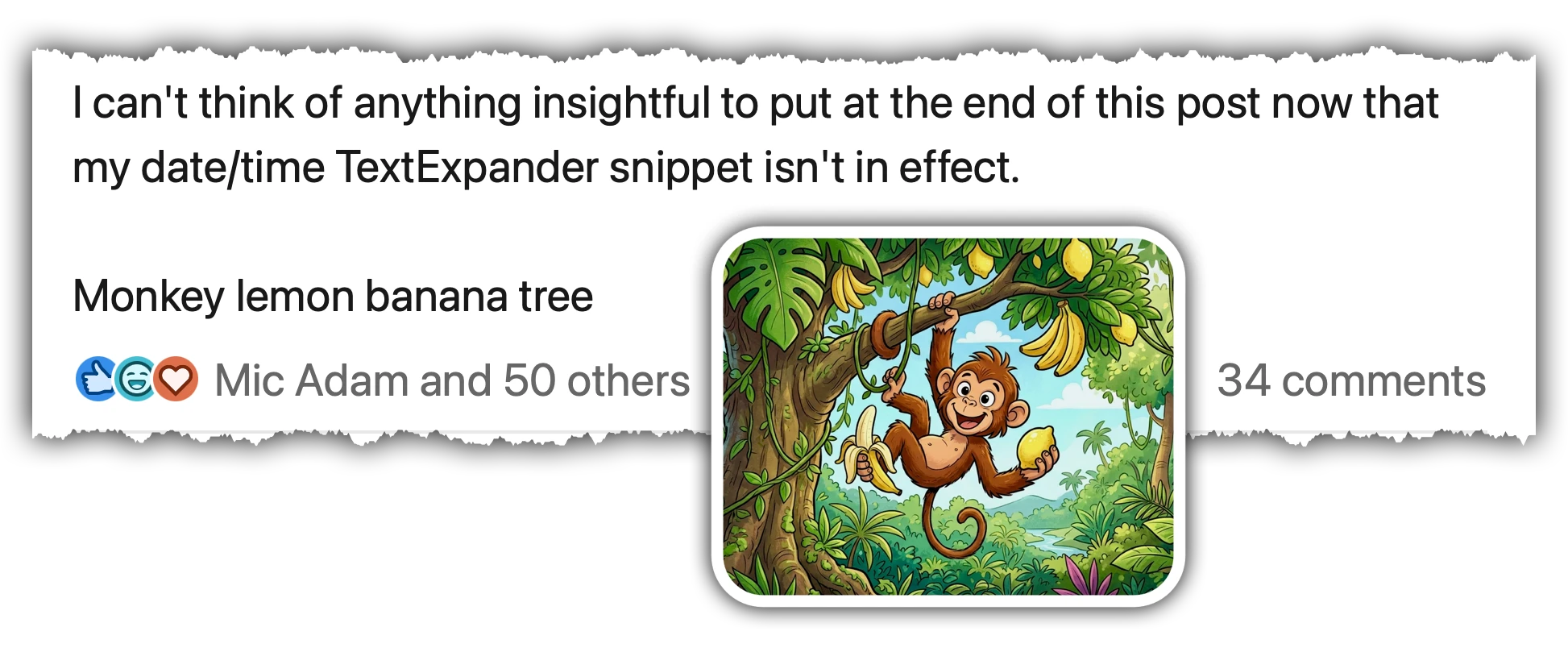
I do think LinkedIn should just get with a programme and put dates and times in, as we’ve talked about before, they did tell me that they were going to do that. They’ve gone completely silent on that since then. So, no news about whether that’s going to happen. It probably won’t, but there we go. That’s an ongoing change that I’m making to my own post, just so I can get to the point and focus on the content itself.
I mentioned UpLift Live just a little bit earlier. This week, we had a bonus webinar for people who’ve got a ticket to the conference run for us by conference sponsor Kristian Downer of Dow Social, and he was talking to us for an hour about LinkedIn Thought Leader Ads and I found the session really interesting because you actually get to see an expert not just talk about the subject, but also you can see him using the user interface and making decisions as he does some research on how to build an audience for Thought Leader Ads. It’s not really a topic I’ve got into before, but it was interesting to hear Kristian talk.
So, if you are coming to the conference, then you can watch that as a bonus webinar. That’s not the only bonus webinar we’ve got as well. So, trying to pack as much as we can in for the price of your ticket. If you get a ticket now, you can also go into our on-demand section and watch that content. So, as I record this, we’re only a few weeks away from our biggest event in Birmingham.
It’s on 26 March, so if you can’t make it there, if it’s too late to plan your trip, then you can always buy a livestream ticket. It’s only £99, so we’ve kept that price really low this year because we want as many people to participate as possible.
We’ve got some great international speakers coming to join us. It’s going to be a fab day, so please let me know if you need any more information.
But if you want to check out the speakers and grab yourself a ticket, you can go and find all the information you need at uplift-live.com
That will do for this week’s episode. I will see you all again next week. Thanks for listening and catch you soon.